03 — The urgent fix
Solving the missing
transactions
I fixed the storage before touching the design, so no sale could be lost while the salon kept working.
- Found the cause. I read the whole app and the Google script, then compared the iPad’s records with the Sheet day by day. The private settings store was 398,640 of about 500,000 bytes full.
- Saved a copy of everything. A one-time script exported all 822 stored tickets from 84 days into the Sheet.
- Moved storage into the spreadsheet. I rewrote the script to keep each day in a Sheet tab, plus a readable Tickets tab with one row per ticket. Big days are split across cells, so there’s no size limit anymore. The app’s screens didn’t change, so staff never noticed.
- Checked it in real use. 85 days and 823 tickets moved, and that afternoon’s real checkouts landed straight in the Tickets tab.
- Added a safety net. A “Backup transactions” screen lets the admin compare the iPad with the Sheet and send only the missing tickets, never duplicates.
That fixed the records. The rest of the list needed a redesign.
04 — Redesign
First ideas,
and why one won
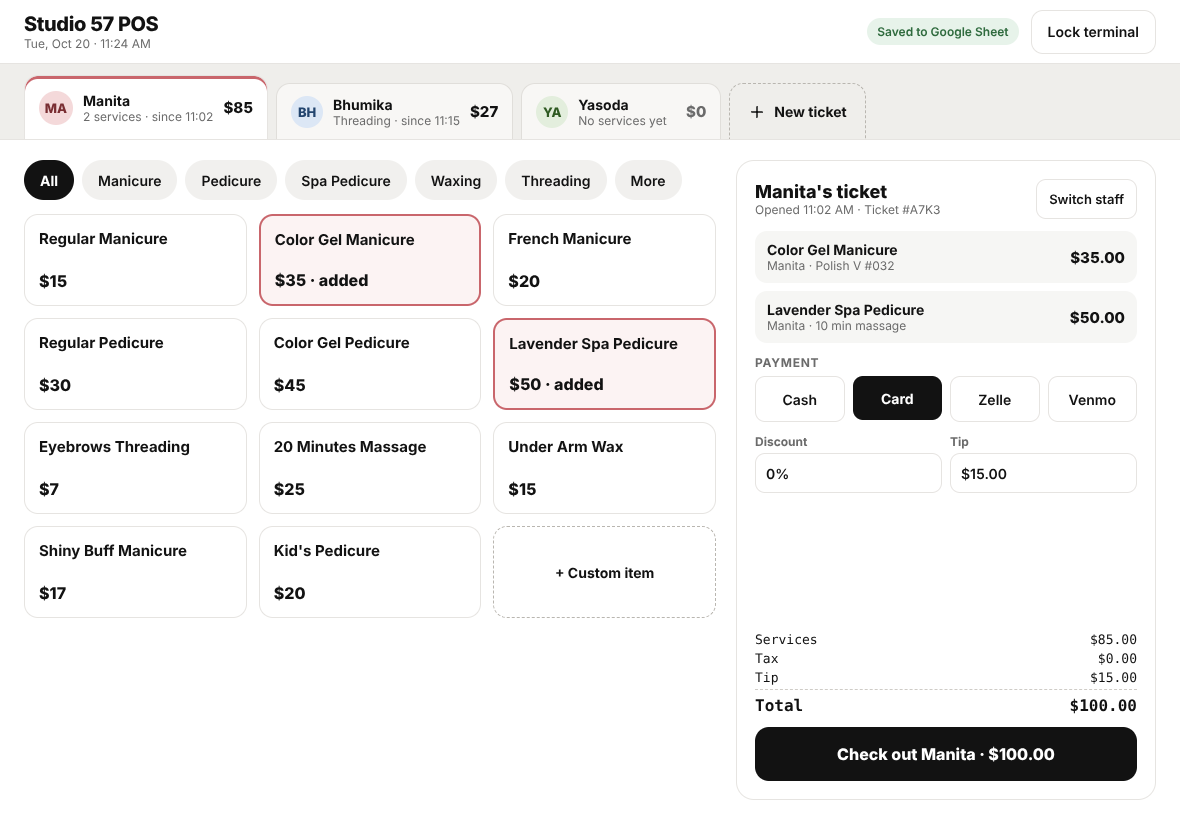
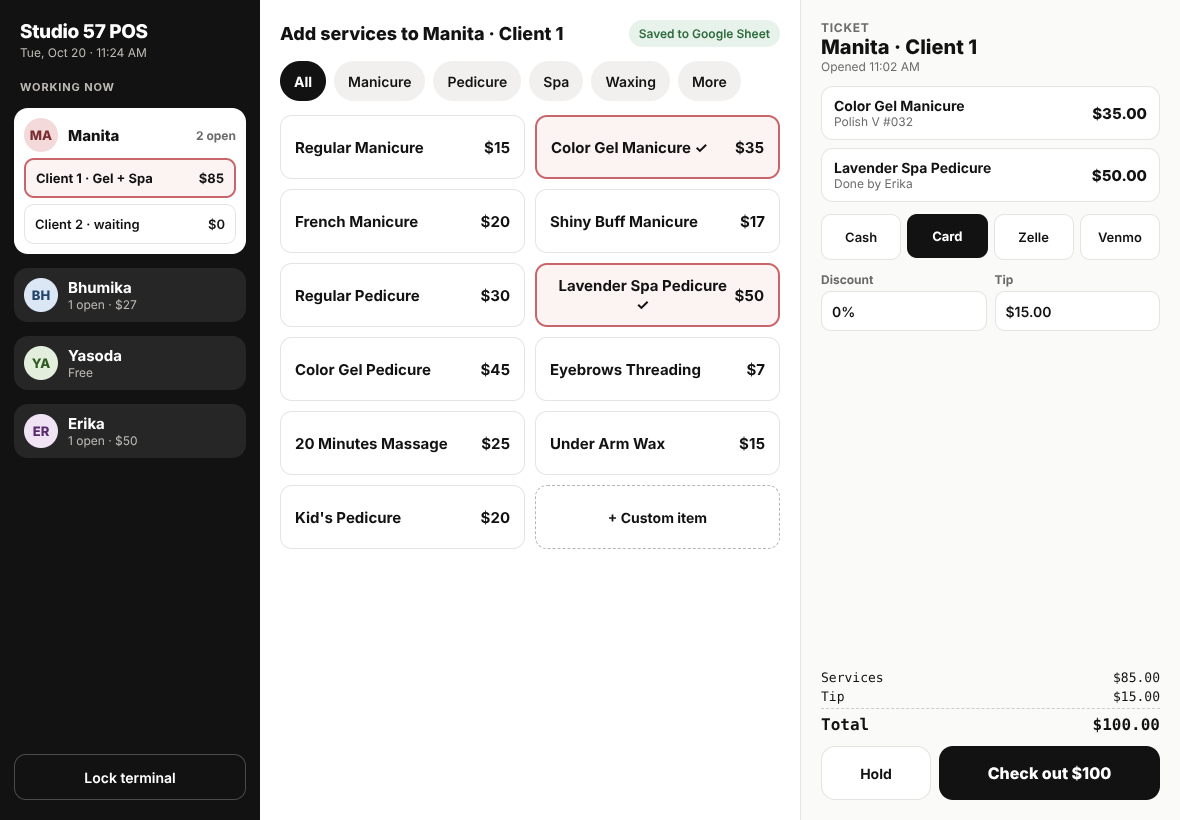
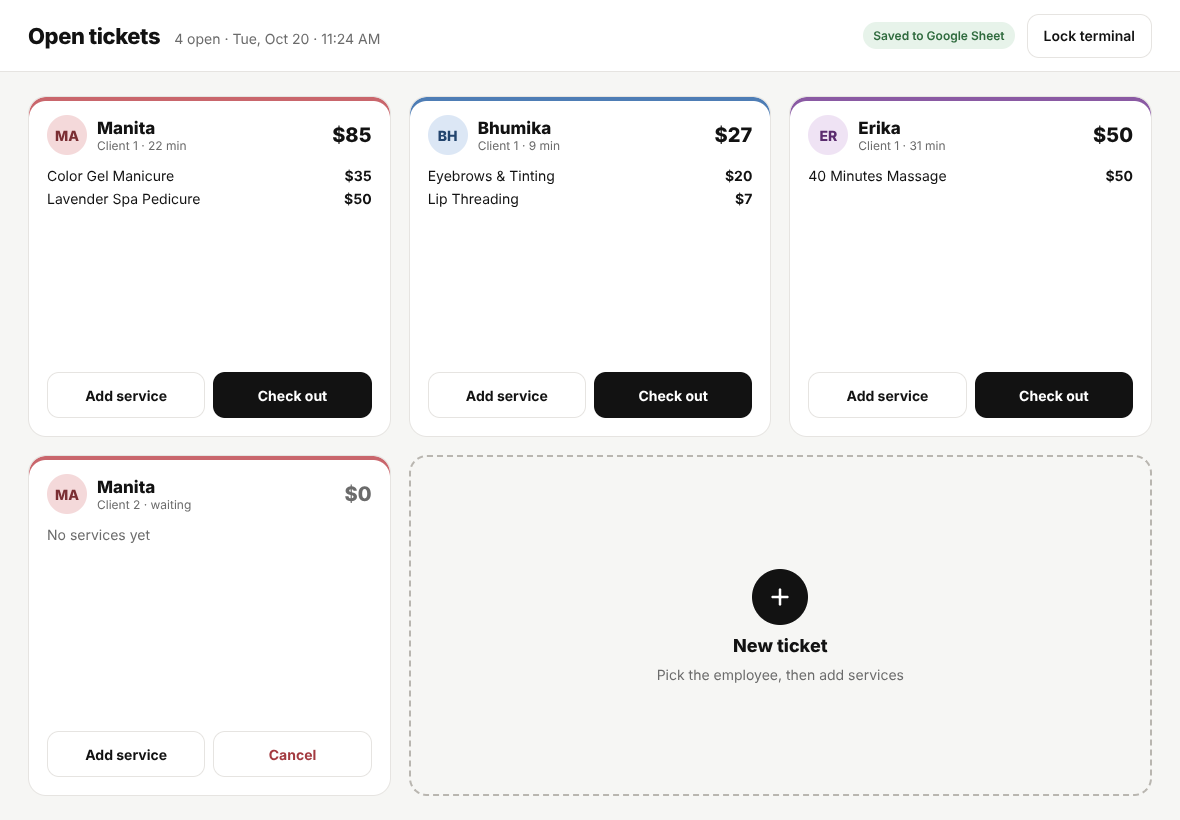
The core question was how several stylists can each keep a ticket open without crowding the screen. I sketched three answers, in a new visual style at first, and showed them to the owner.
The owner picked A and asked for B’s sense of who is busy. Two pieces of feedback then shaped everything after:
Keep the fonts and colors the same.
The staff already knew the app, so the final screens use version 1’s system font, grays, pink and green, and keep familiar pieces such as the receipt rows, the amber massage control and the discount box.
Make it as big and simple as it can be.
Big tiles, one decision per screen, and strong color for whatever is selected.
05.1 — What changed
Starting a ticket
Why it changed
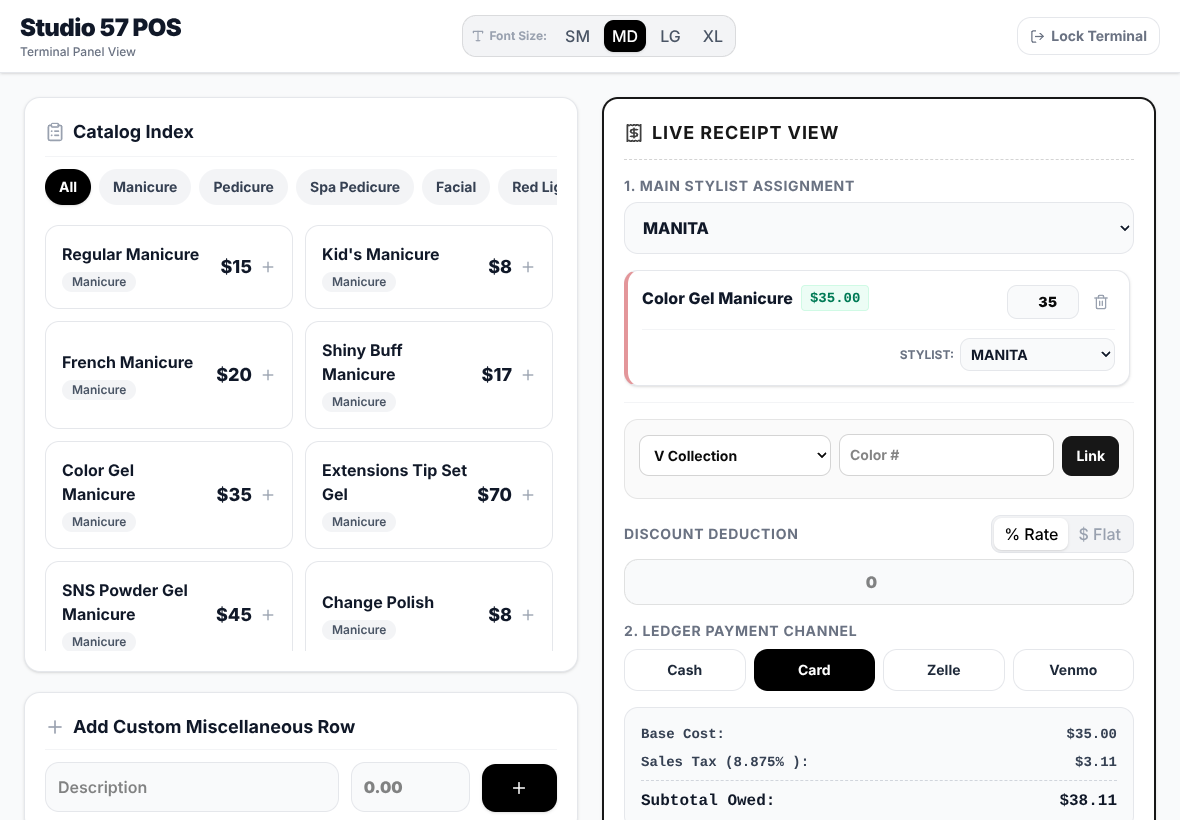
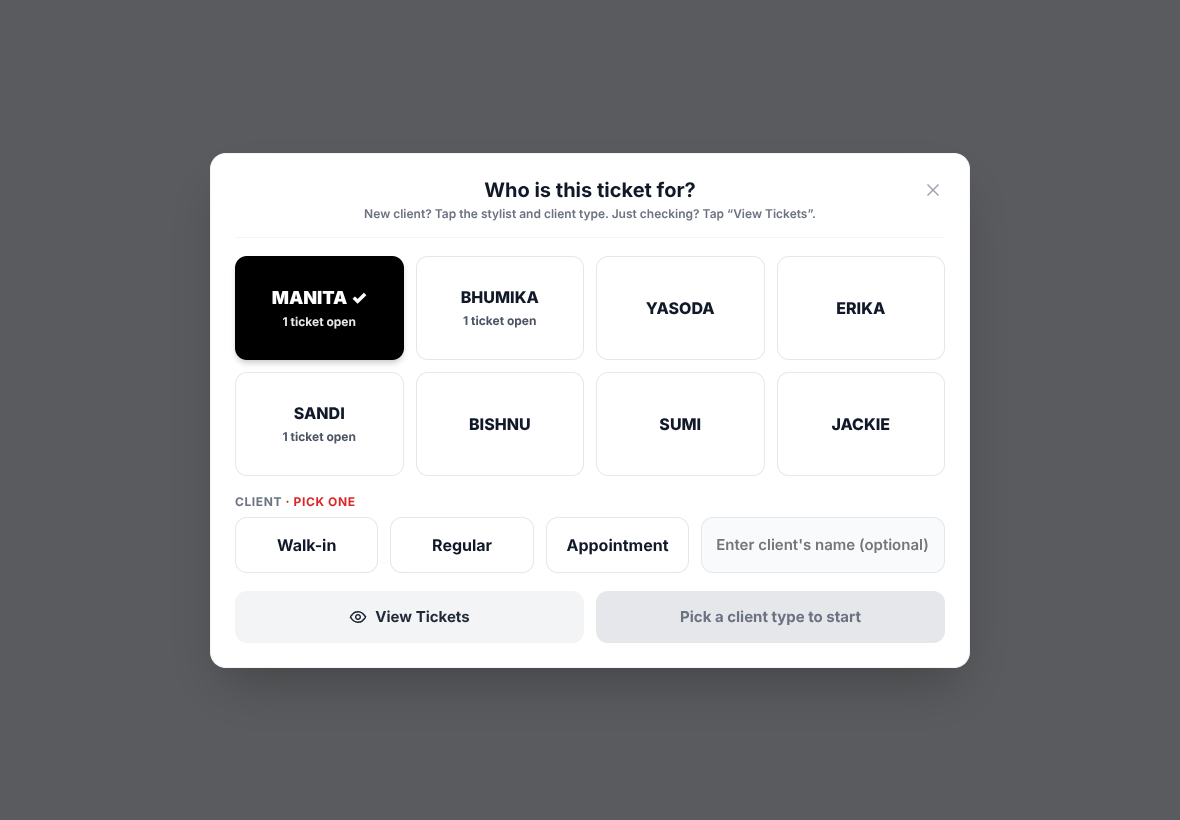
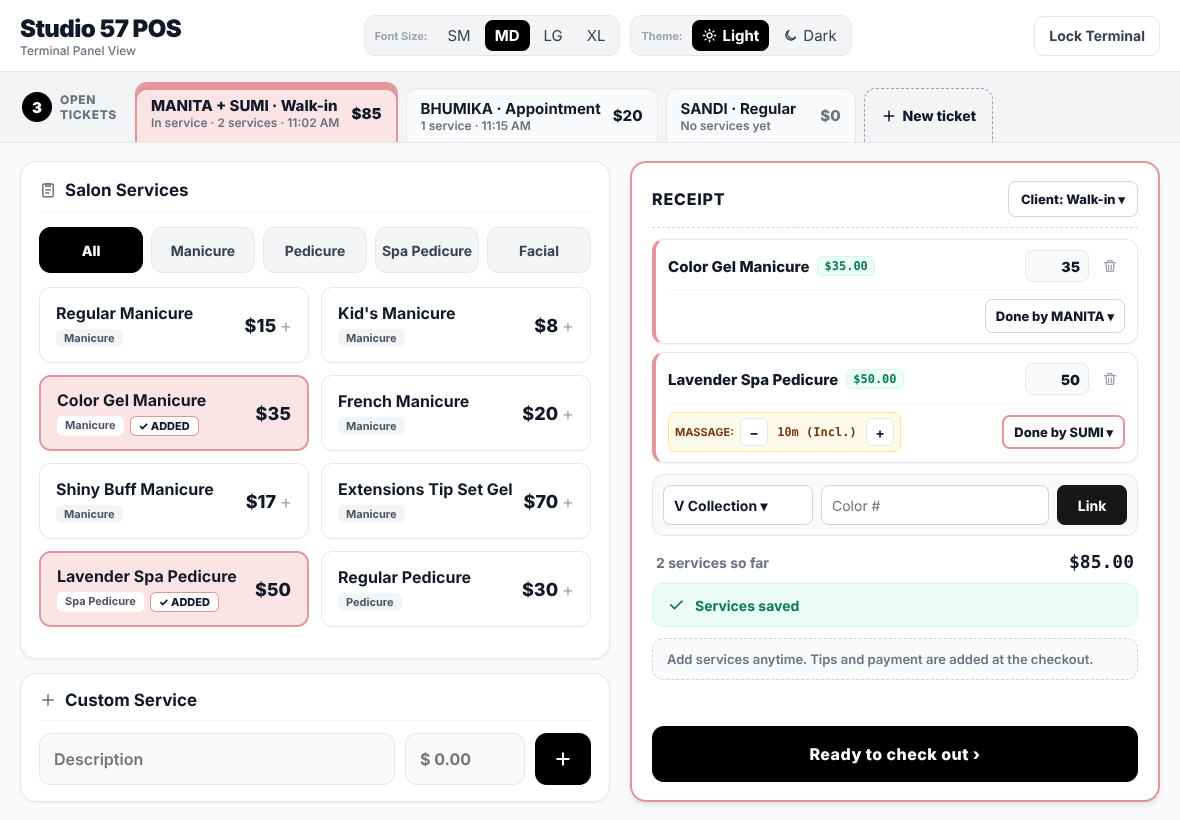
In version 1 the stylist was a dropdown inside the receipt, easy to skip or pick wrong, and there was no record of what kind of client it was. The owner also wanted to know how many clients are walk-ins, regulars or appointments.
What changed
A first screen asks “Who is this ticket for?” with big stylist tiles and a required client type. Nothing is pre-selected, so no one can tap straight through. The client’s name is optional, and “View Tickets” skips straight to the open tickets.
05.2 — What changed
Several clients at once
Why it changed
With one ticket at a time, a second stylist had to wait or remember her services.
What changed
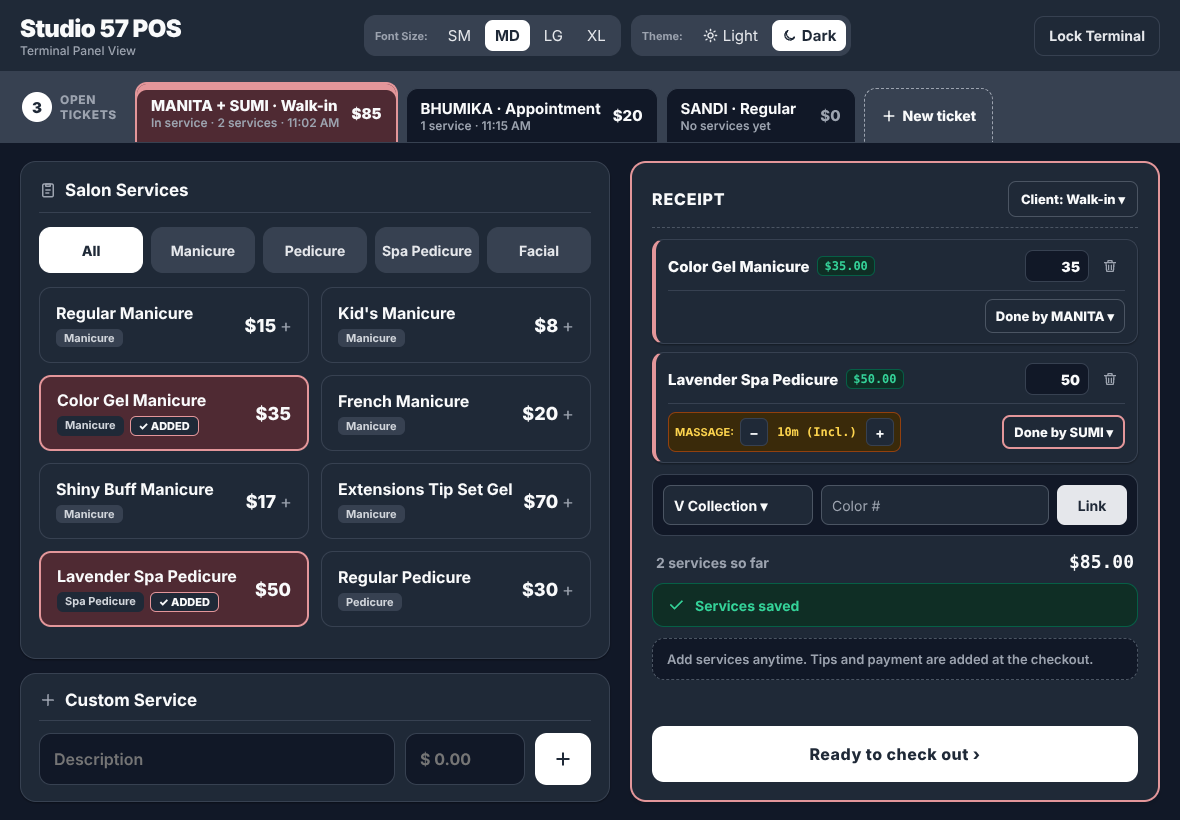
Open tickets sit as tabs across the top, with a count badge. The active tab turns pink so it’s clear whose client you’re on. Services added turn pink with “✓ ADDED”, and each ticket saves itself on the iPad, so nothing is lost if the app closes. Tips and payment wait until checkout, because services get added while the client is still in the chair.
05.3 — What changed
Two stylists, one client
Why it changed
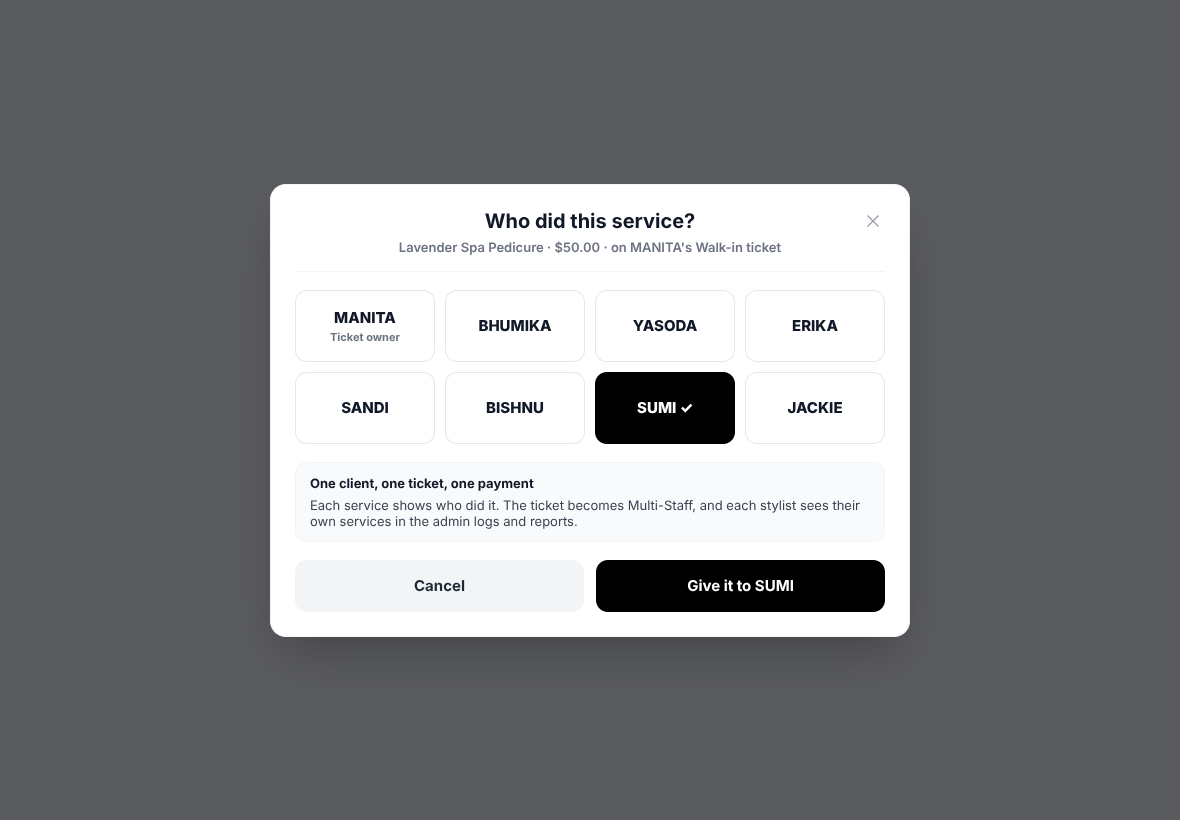
Clients often get a manicure from one stylist and a pedicure from another, and the stylist dropdowns were hard to use.
What changed
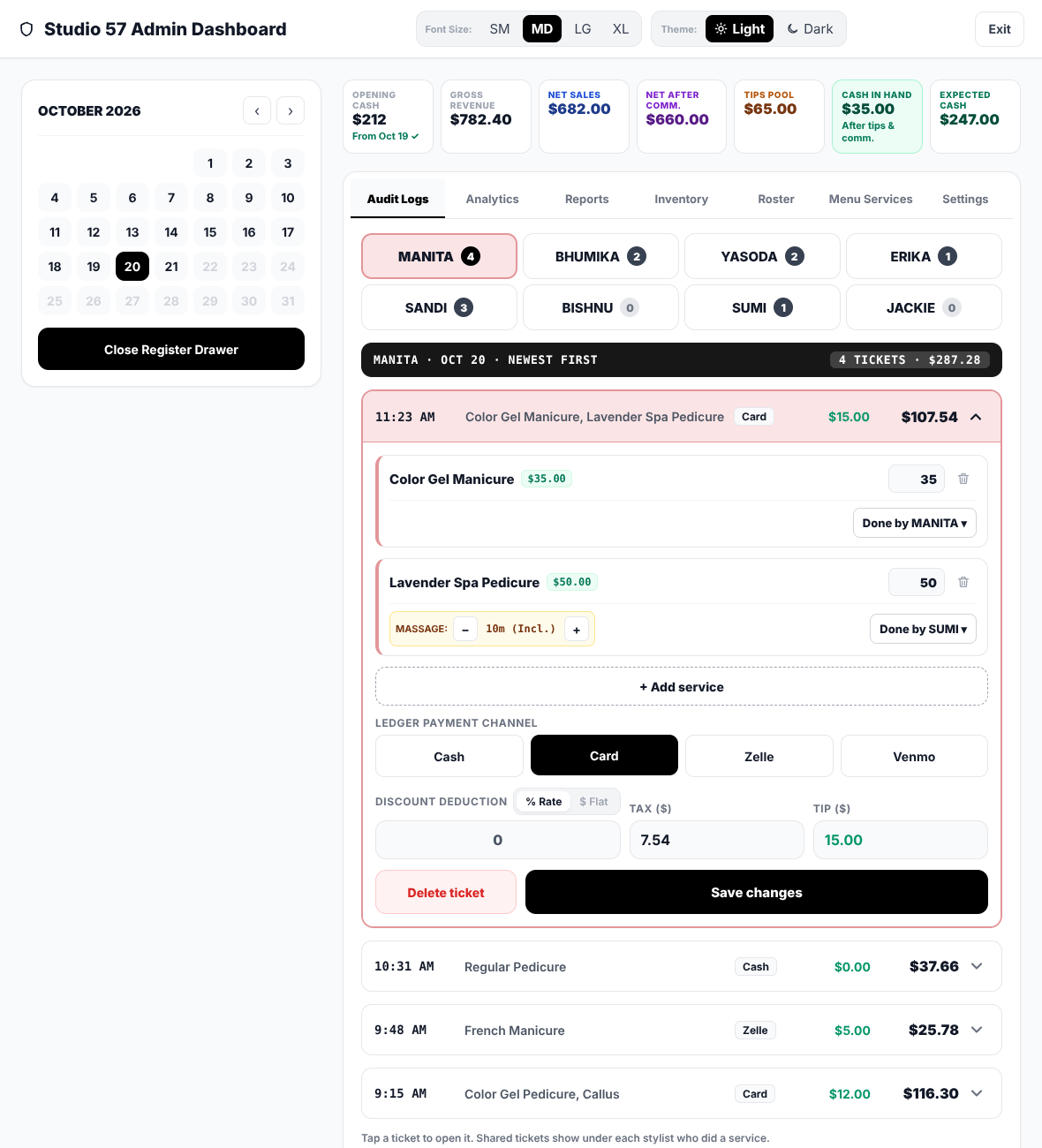
Each service has a “Done by ▾” button that opens the same big stylist tiles. The ticket becomes Multi-Staff, and tips and commission still split the way they always did.
05.4 — What changed
Checking out and
knowing it saved
Why it changed
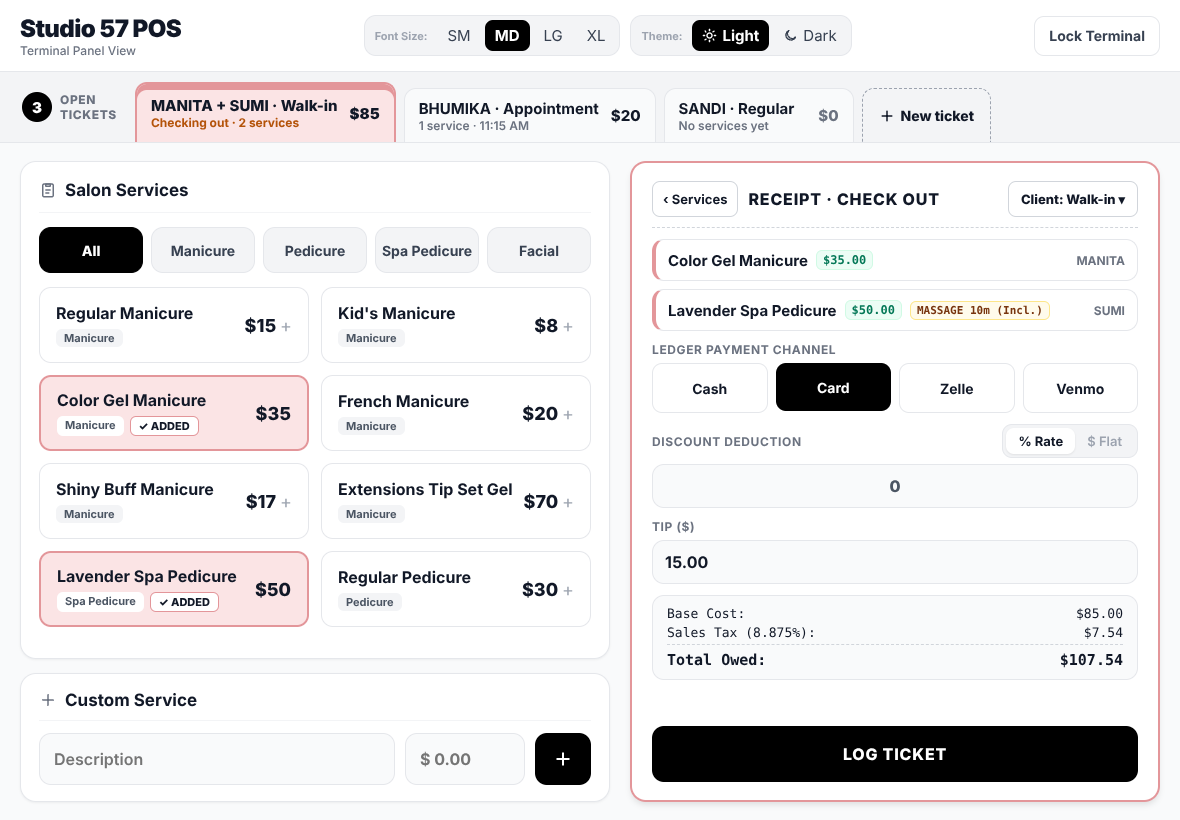
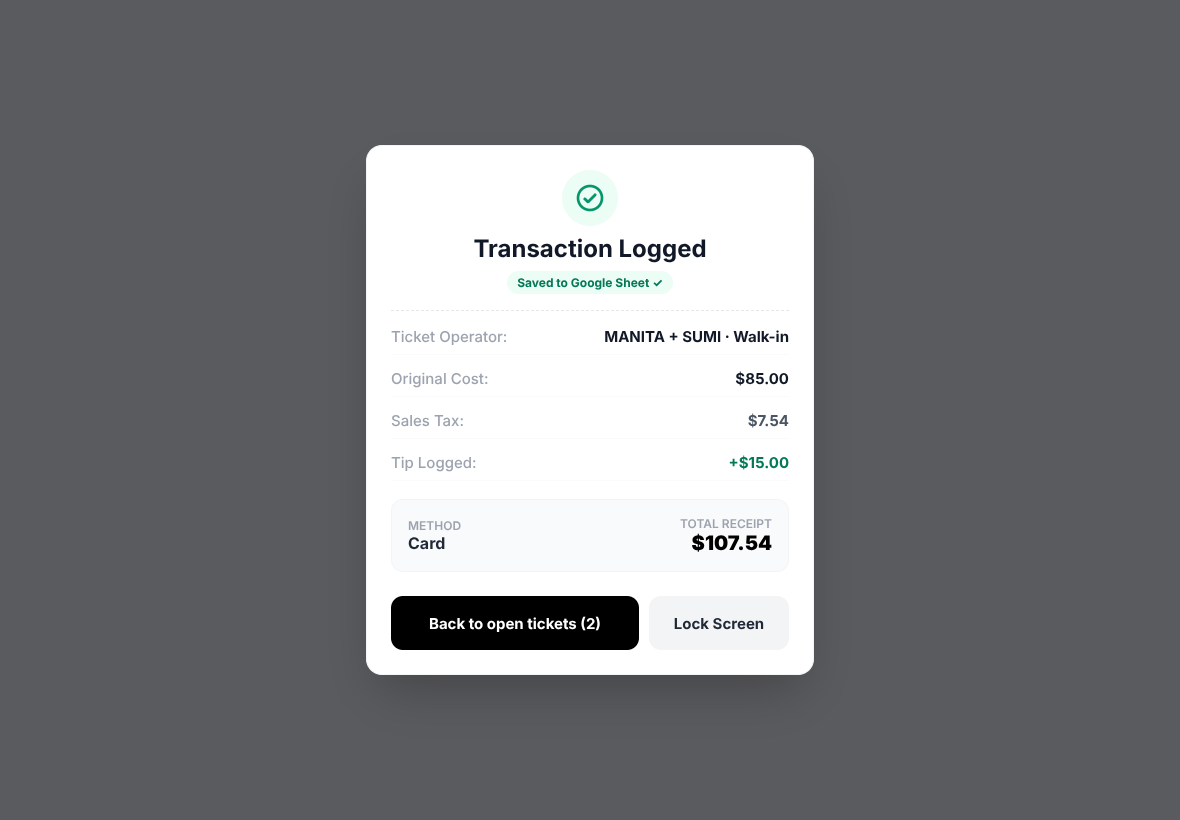
Version 1 put everything on one long panel and never confirmed the sale reached the Sheet, which is how the missing records went unnoticed.
What changed
“Ready to check out” opens a short checkout (payment, discount, tip, LOG TICKET), then a confirm step. The receipt says “Saved to Google Sheet ✓” only once the Sheet has the ticket. Until then the ticket waits on the iPad and is sent again if needed.
05.5 — What changed
Audit logs and
fixing mistakes
Why it changed
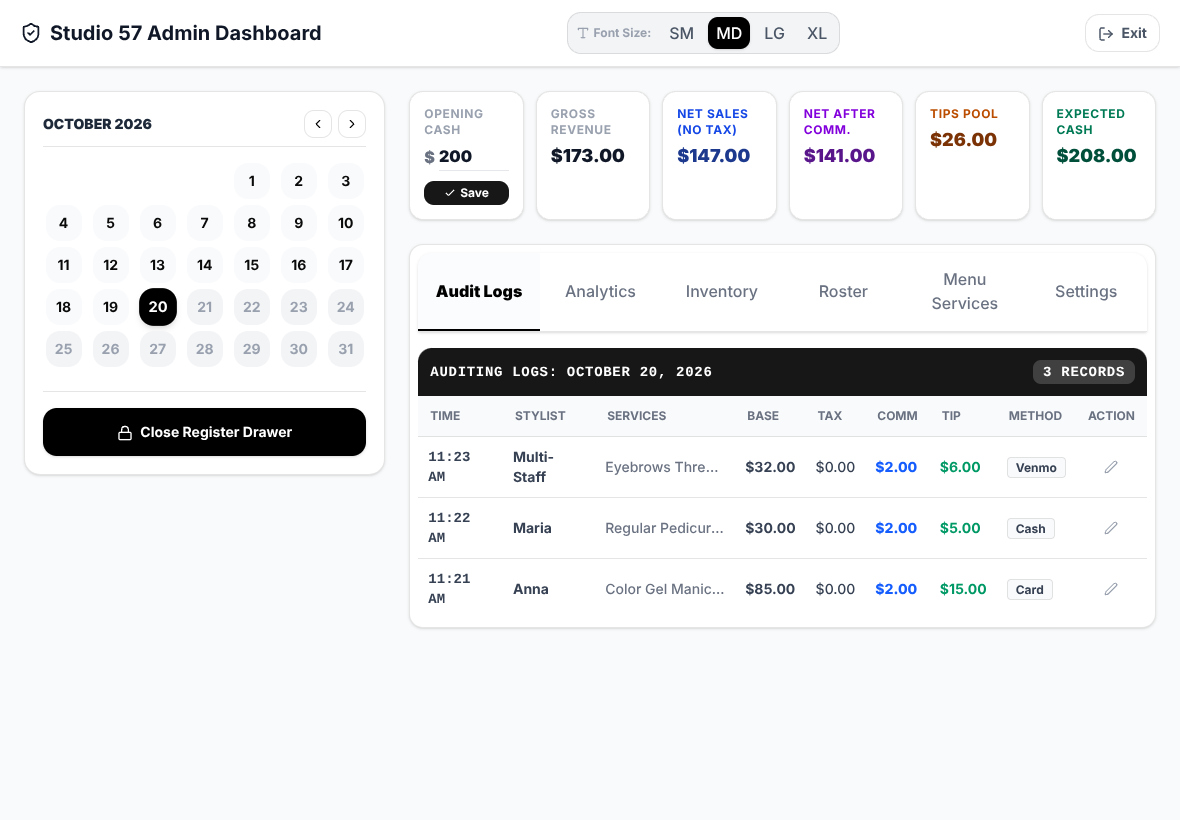
The audit log was one long table of every ticket. To fix one stylist’s ticket, the owner had to scan everyone’s, and editing meant typing into small cells.
What changed
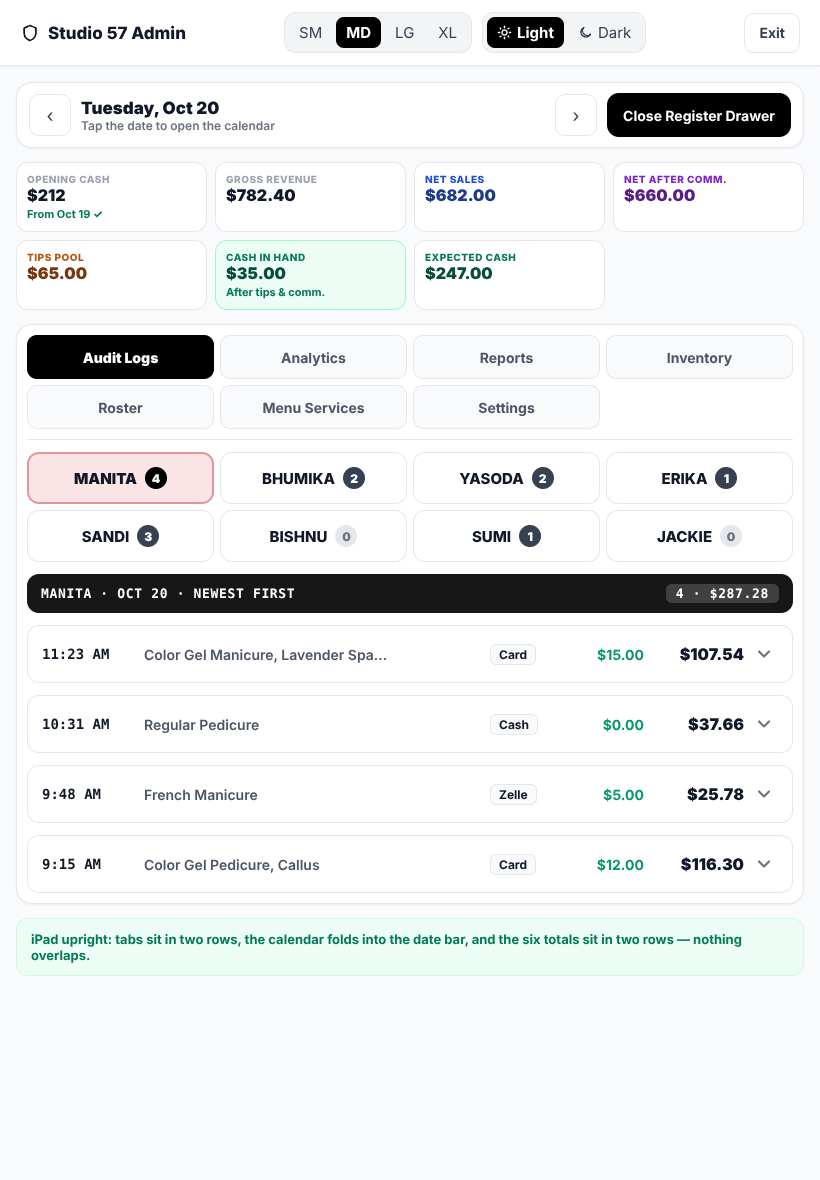
A tab per stylist with a ticket count, newest ticket first. Tapping a ticket opens it with the same receipt rows staff use, and saving changes only that one ticket, so an edit can never wipe tickets another device saved.
05.6 — What changed
Adding a ticket someone forgot
Why it changed
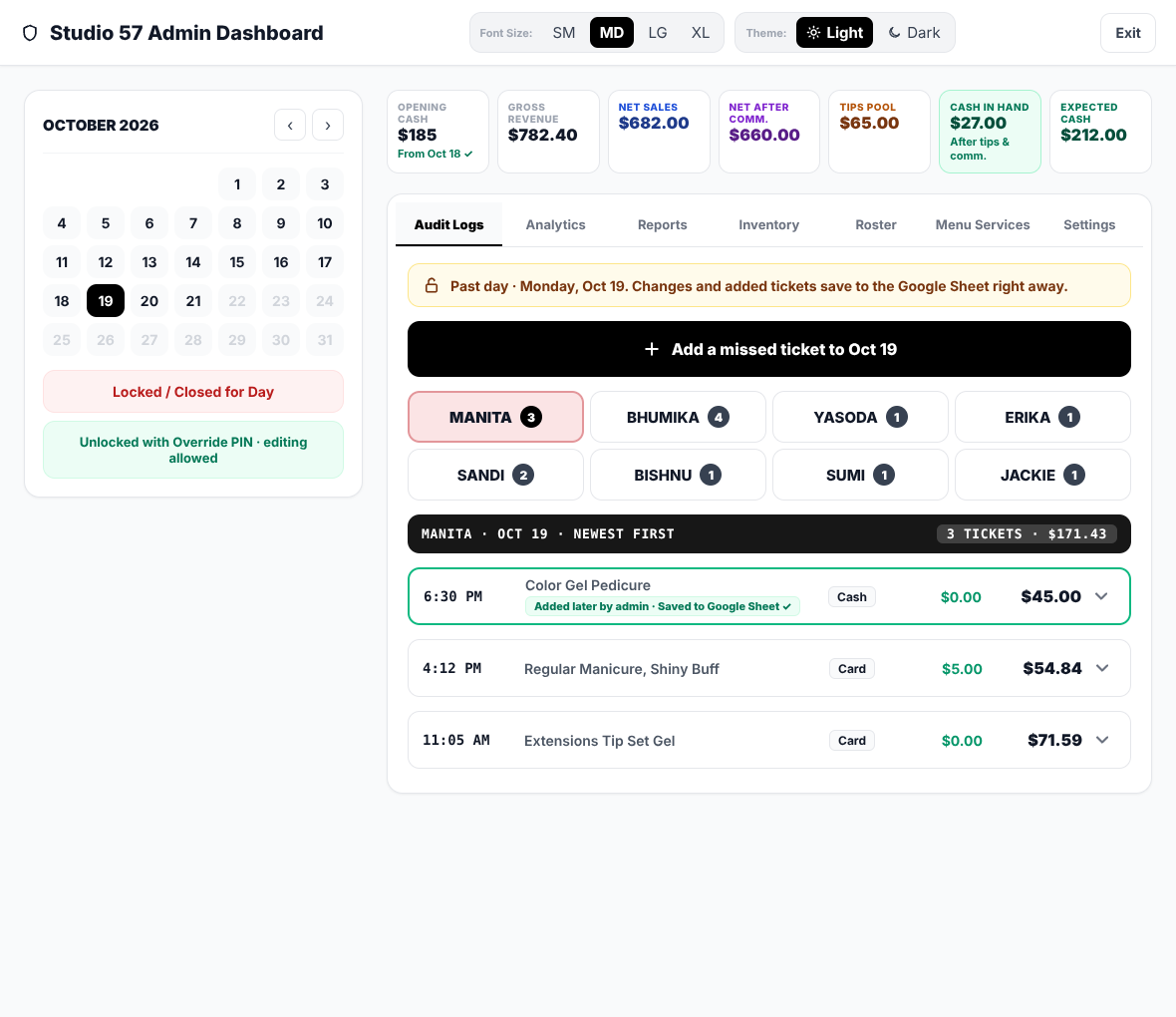
On busy days a sale sometimes wasn’t logged, and past days couldn’t be changed.
What changed
Pick any past day on the calendar and tap “Add a missed ticket”. It saves to that day and the Sheet, marked “Added later by admin” so it’s easy to audit.
05.7 — What changed
Opening cash and
closing the register
Why it changed
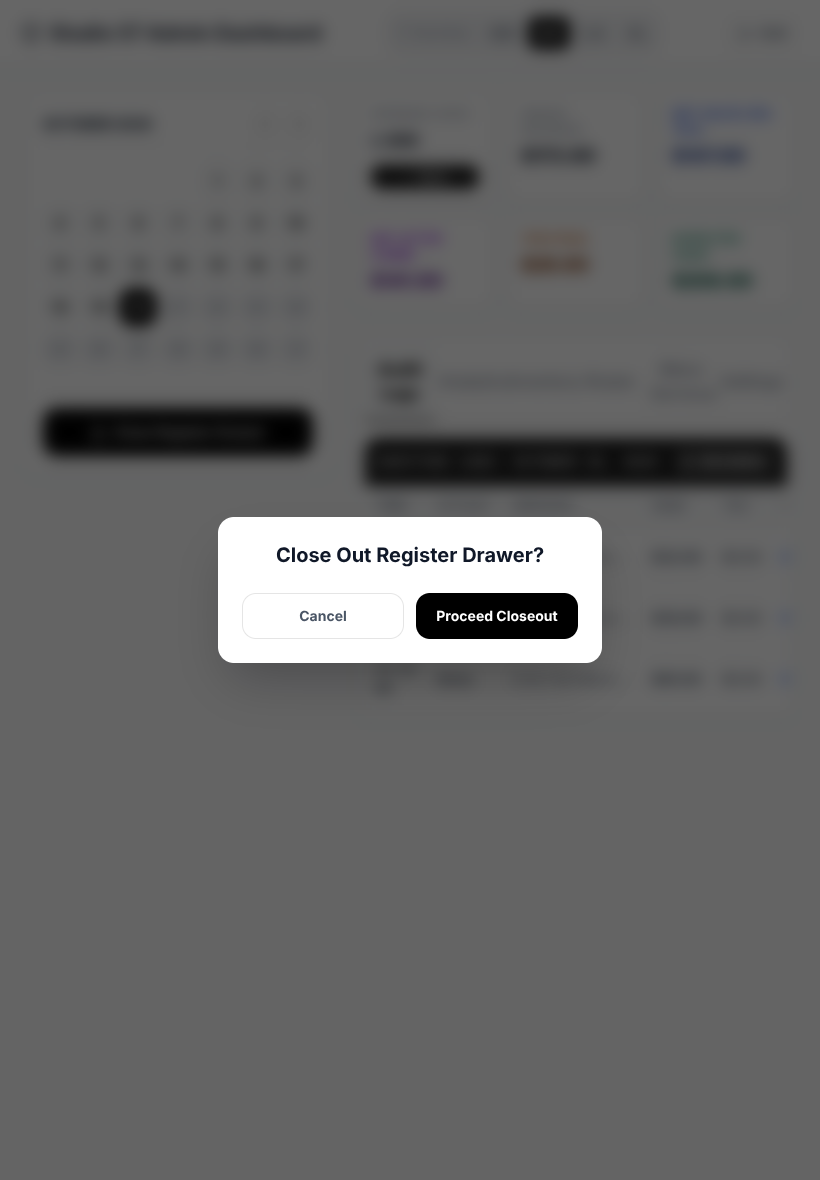
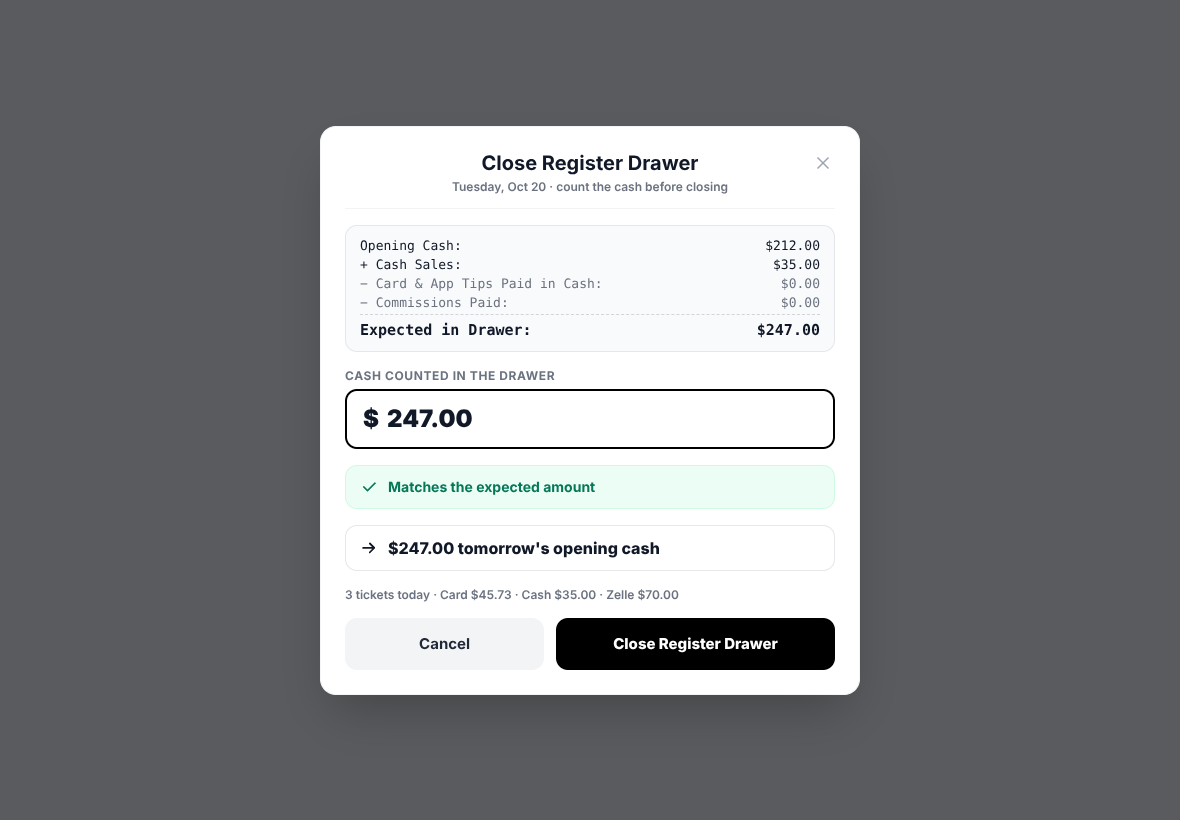
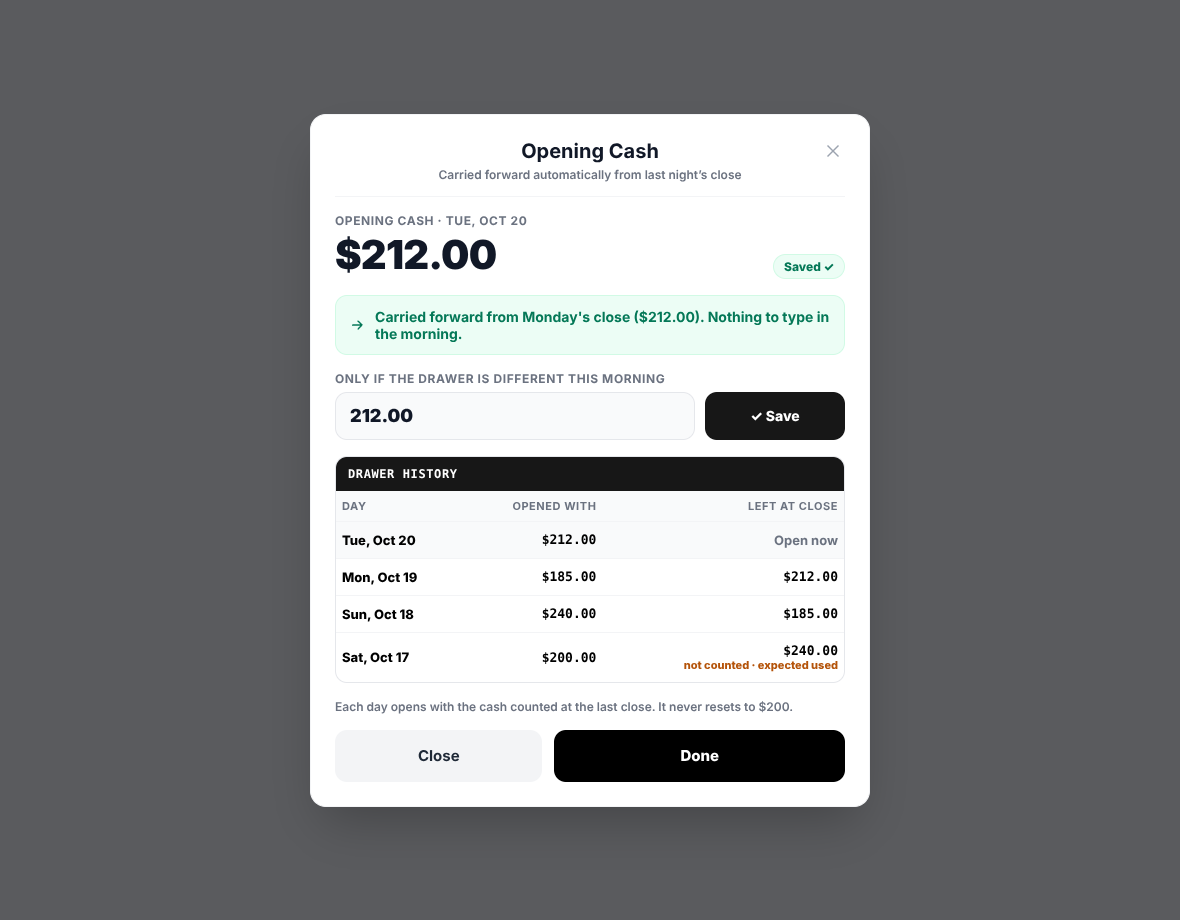
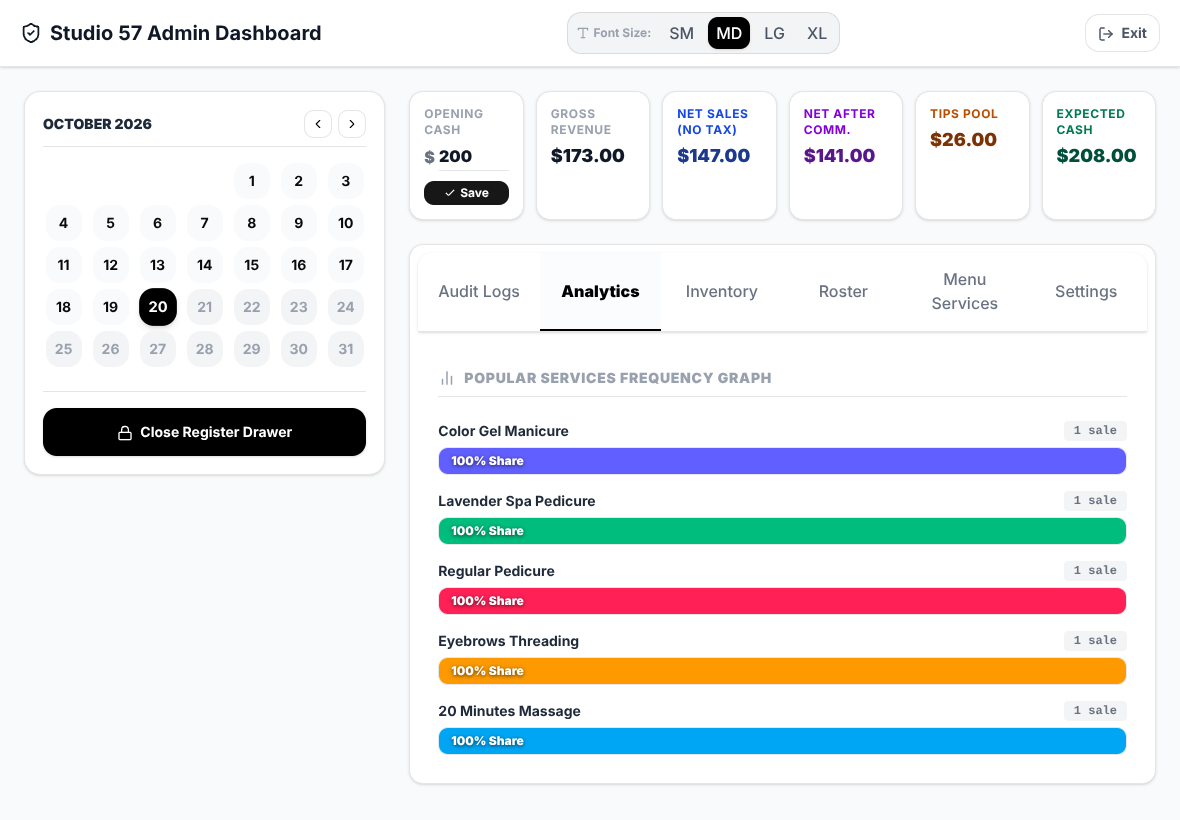
Opening cash reset to $200 every morning, and closing was a two-button popup that never asked how much cash was actually in the drawer.
What changed
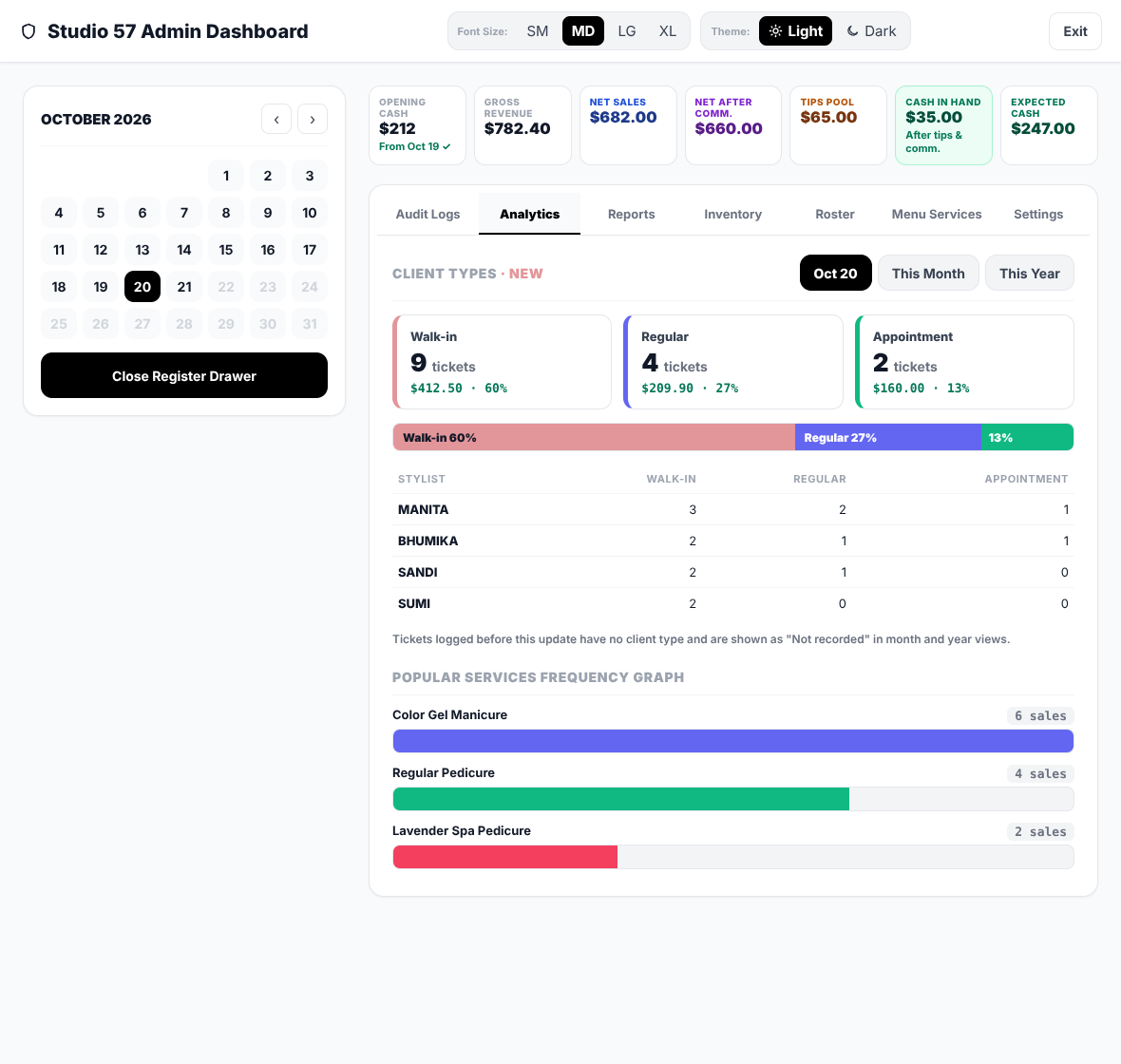
Closing now asks for the counted cash, shows the difference from what’s expected, and says “$247.00 tomorrow’s opening cash”. The next morning starts with that amount automatically, with a drawer history to check against. A new Cash in Hand card shows the day’s own cash: cash sales minus card tips and commissions paid out of the drawer.
05.8 — What changed
Real reports
Why it changed
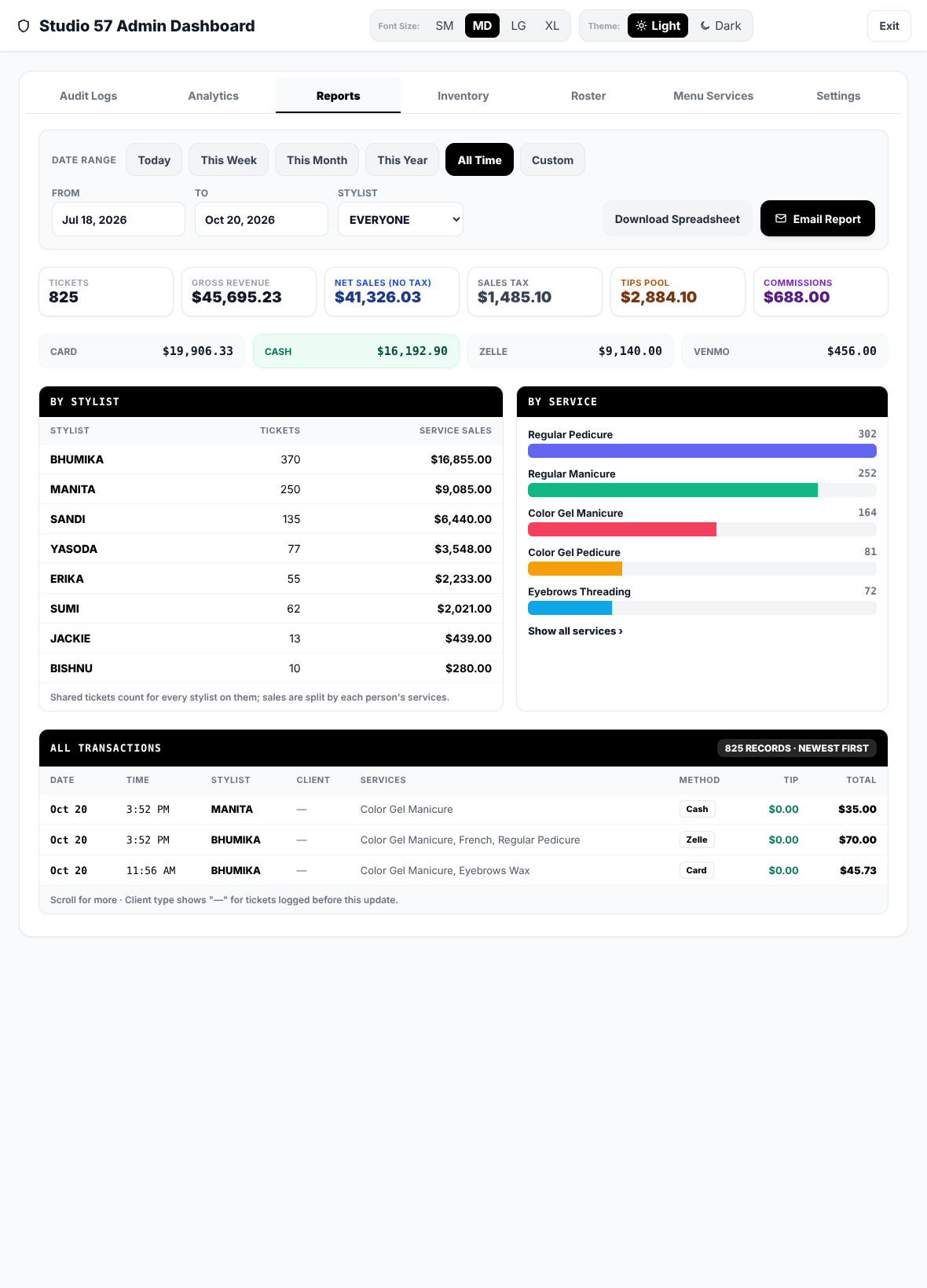
The owner asked for every transaction to date, and the old monthly figures were estimates.
What changed
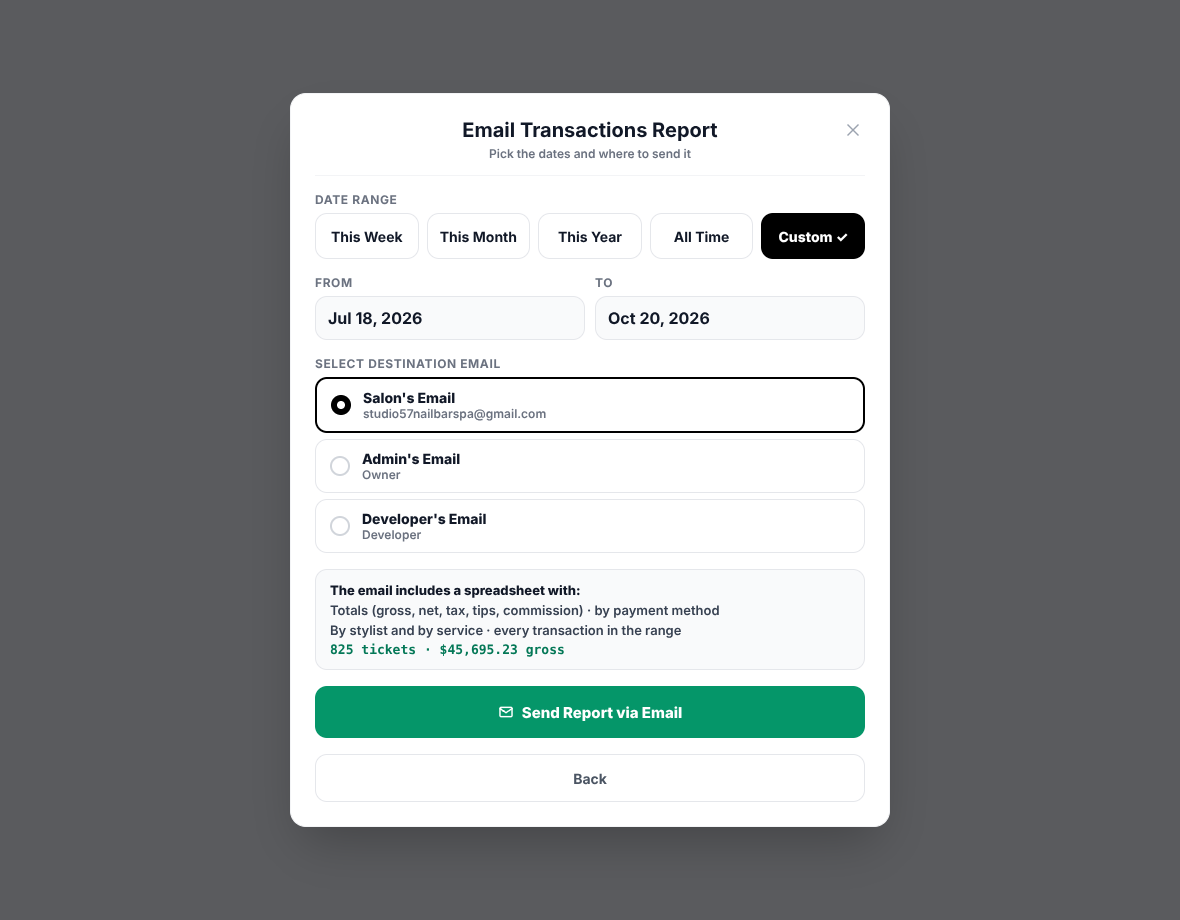
A Reports tab with any date range, real totals, payment methods, stylists, services and every transaction, plus Download and Email Report. Analytics adds Walk-in, Regular and Appointment by day, month and year.
05.9 — What changed
iPad upright, Dark mode and
access
Why it changed
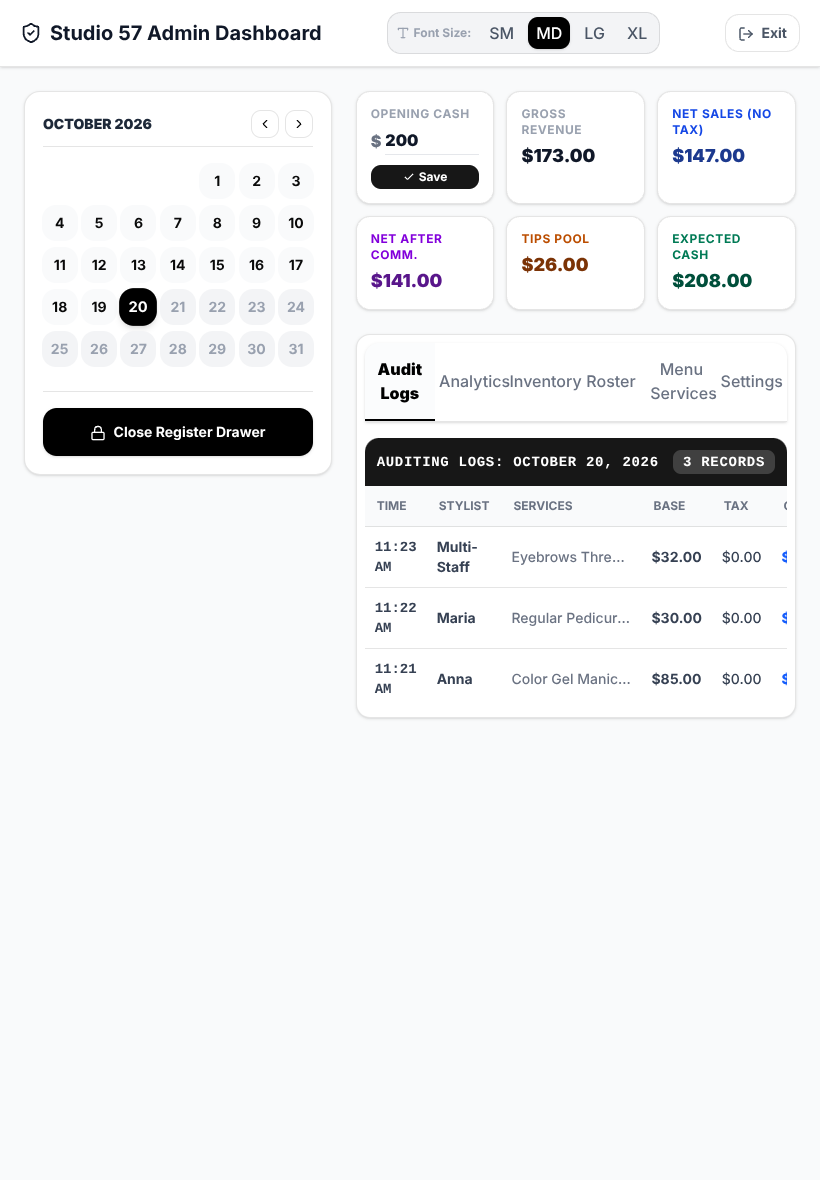
The iPad is sometimes stood upright, where version 1 overlapped. The client also asked for a dark mode. And after the salon changed its passcodes, I had no way to get in to support them.
What changed
On an upright iPad the calendar folds into a date bar and the tabs sit in two rows. A Light and Dark switch sits next to Font Size, and both are remembered. A developer PIN is kept only in the server’s private settings, never in the app or the Sheet.
06 — Testing
Before it goes back
into the salon
The new version had to pass one test above all: every past and present transaction stays exactly as it was.
- Tested on the real records. I ran the new app in a test browser against a simulated Google script loaded with the salon’s real 87 days and 836 tickets.
- Walked through a full day. Two tickets open at once, the app closed and reopened, a shared ticket checked out, an admin edit, a missed ticket on a past day, reports, email, closing the register, the developer PIN, an upright iPad and Dark mode.
- Checked the money. For example: Color Gel $35 + Lavender Spa $50 + 5 extra massage minutes ($5) = $90, tax on card $7.99, commission $5.
- Checked nothing old moved. Every past day was identical afterwards except the one where I added a ticket on purpose, and the iPad still held every ticket.
- Results: 23 end-to-end checks and 20 server tests passed.
- Safe release plan. The code sits on its own branch. The server update goes first because it also works with the current app. The new app goes live after closing, with a short note to staff.
07 — Outcome
Records complete,
redesign approved
The salon’s records are complete again, and the redesign the owner approved fixes every problem found in real use.
- One problem, one change. Each issue from the salon floor has a matching fix: open tickets, Done by, a confirmed save, missed tickets, a counted drawer, real reports, an upright layout and a developer PIN.
- 43 checks passed on a copy of the real records before anything goes live.